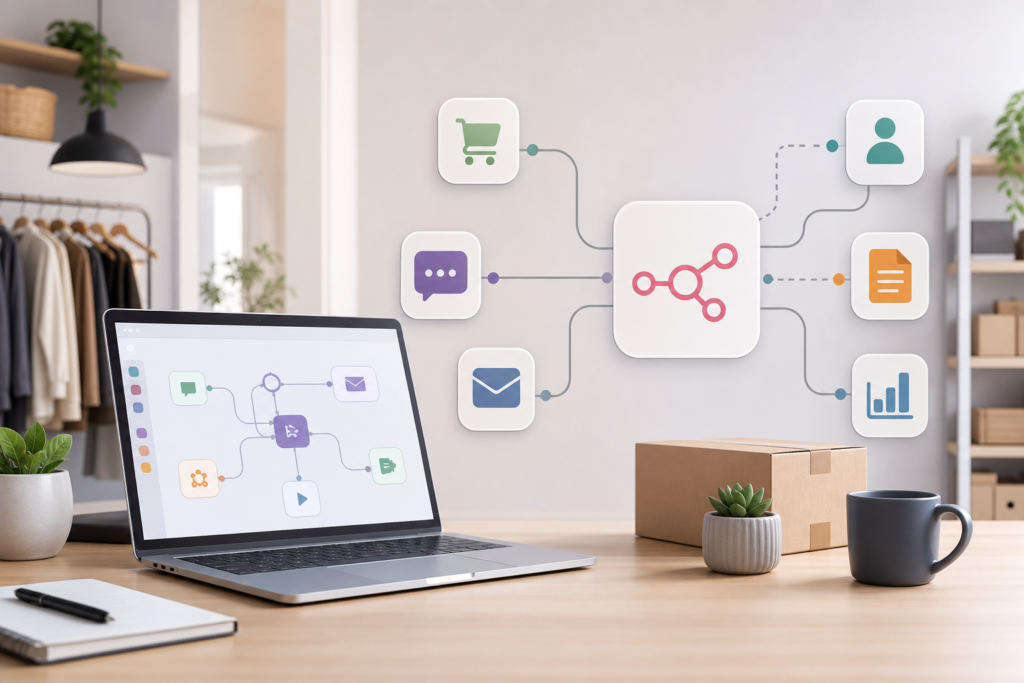
Introduction to n8n
In today’s fast-paced business environment, small businesses must look for ways to streamline operations and maximize efficiency. n8n is an open-source workflow automation tool that allows you to automate processes by integrating different applications and services. Whether you are a small business owner, an operations manager, or part of a sales and marketing team, n8n can help you automate mundane tasks, thereby freeing up time for more strategic work.
This guide will walk you through the set-up process for n8n and provide practical examples of how small businesses can benefit from workflow automation.
Benefits for Small Businesses
Integrating automation into your business can have numerous advantages:
- Increased Efficiency: Automating repetitive tasks reduces the time wasted on manual work.
- Cost Savings: By streamlining processes, automation can help reduce labor costs in the long run.
- Improved Accuracy: Automated systems reduce the likelihood of human error in data entry and processing.
- Better Resource Allocation: Automation allows you to deploy your human resources towards more strategic tasks that require creativity and decision-making.
- Enhanced Customer Experience: Quicker response times and automated customer service processes can lead to higher customer satisfaction.
Step-by-step Setup Guide
Setting up n8n is a straightforward process. Follow these steps to get started:
- Install n8n: You can run n8n locally on your machine or choose a cloud instance. For local installation, ensure you have Node.js installed, then execute the command npm install n8n -g to install n8n globally.
- Run n8n: After installation, start n8n by running n8n in your command line. This will host the application on your local server.
- Access the N8N Interface: Open your web browser and navigate to http://localhost:5678 to access the n8n editor.
- Connect Your Apps: From the n8n dashboard, you can connect various applications through API integration. Browse the node menu to find popular applications that can be integrated.
- Create Your Workflow: Drag and drop nodes to create your workflow. Each node represents a different task or operation.
- Test Your Workflow: Before finalizing, run tests to ensure everything functions as expected. You can debug any issues within the n8n interface.
- Activate Workflow: Once satisfied with the setup, activate your workflow to set it live.
Practical Examples and Workflows
Now that you understand how to set up n8n, let’s explore some practical examples of how small businesses can use it to enhance their workflows:
Email Automation
For a small marketing agency, automating email responses can save time. Create a workflow that triggers an email when a form is filled out on your website. This automation not only saves time but also ensures prompt communication with leads.
Data Synchronization
Imagine you have customer data in multiple systems. Using n8n, create a workflow that automatically updates your CRM whenever a new customer registers on your website. This keeps your records consistent and reduces manual data entry.
Social Media Posting
A small business can automate social media posts by connecting their content management system (CMS) to social media platforms. Schedule content from your blog to be posted automatically on various social channels at specified intervals.
Sales Notifications
Integrate your eCommerce platform with Slack or Microsoft Teams to receive instant notifications whenever a sale is made. This helps your team stay updated and act quickly on sales opportunities.
Common Pitfalls and Troubleshooting
While automation can significantly enhance your business processes, there are some common pitfalls to be aware of:
- Over-automation: Not every task should be automated. Ensure that critical business processes still require human oversight.
- Insufficient Testing: Always test your workflows thoroughly. Debugging issues in the live environment can lead to operational problems.
- Lack of Documentation: Document your workflows for future reference. This aids in troubleshooting and helps onboard new team members.
- Neglecting Security: Ensure that your API connections are secured. Monitor access rights and data handling practices.
Conclusion and Next Steps
n8n automation provides a versatile solution for small businesses looking to improve efficiency and free up resources for more strategic tasks. By following this guide, you can easily set up and start utilizing n8n for your workflow automation needs.
As you embark on this journey, remember that while automation can streamline processes, human oversight remains crucial for ensuring quality and accuracy. If you’re interested in custom AI solutions tailored to your business needs, feel free to contact us at SamSiyu. Let’s explore how AI agents can be designed to meet your unique operational challenges.
FAQs
What is n8n?
n8n is an open-source workflow automation tool that enables users to connect different applications and automate workflows without needing extensive programming knowledge.
Can I use n8n for free?
Yes, n8n is open-source and available for free. You can host it on your own server or use cloud-based solutions.
What types of applications can I connect with n8n?
n8n supports integration with numerous applications, including popular tools in marketing, sales, project management, and more, through API connections.
Is there a learning curve for n8n?
While n8n is designed to be user-friendly, there can be a slight learning curve. However, with practice and by following guides like this one, users can quickly become proficient.
How secure is n8n?
n8n offers various security measures, including user authentication and secure API integrations. It’s essential to configure security settings according to your business’s needs.